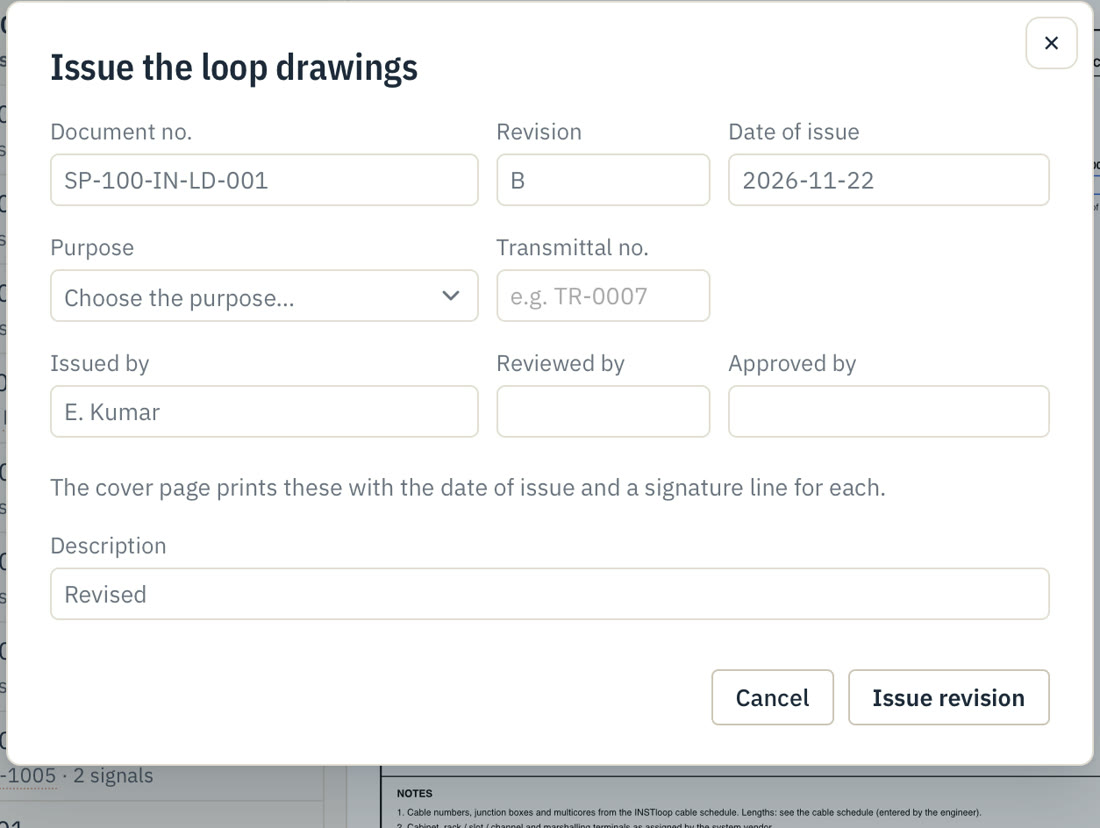
From your P&IDs and process data to datasheets, JB terminations and loop drawings, issued and kept in step at every revision. Isa, the built-in AI agent, does the clicking. You approve.
The same pressure, temperature and flow are typed into the schedule, the datasheet, the calculation, the IO schedule and the loop drawing, and typed again at every process revision. INSTloop keeps one record per tag and builds every document from it.
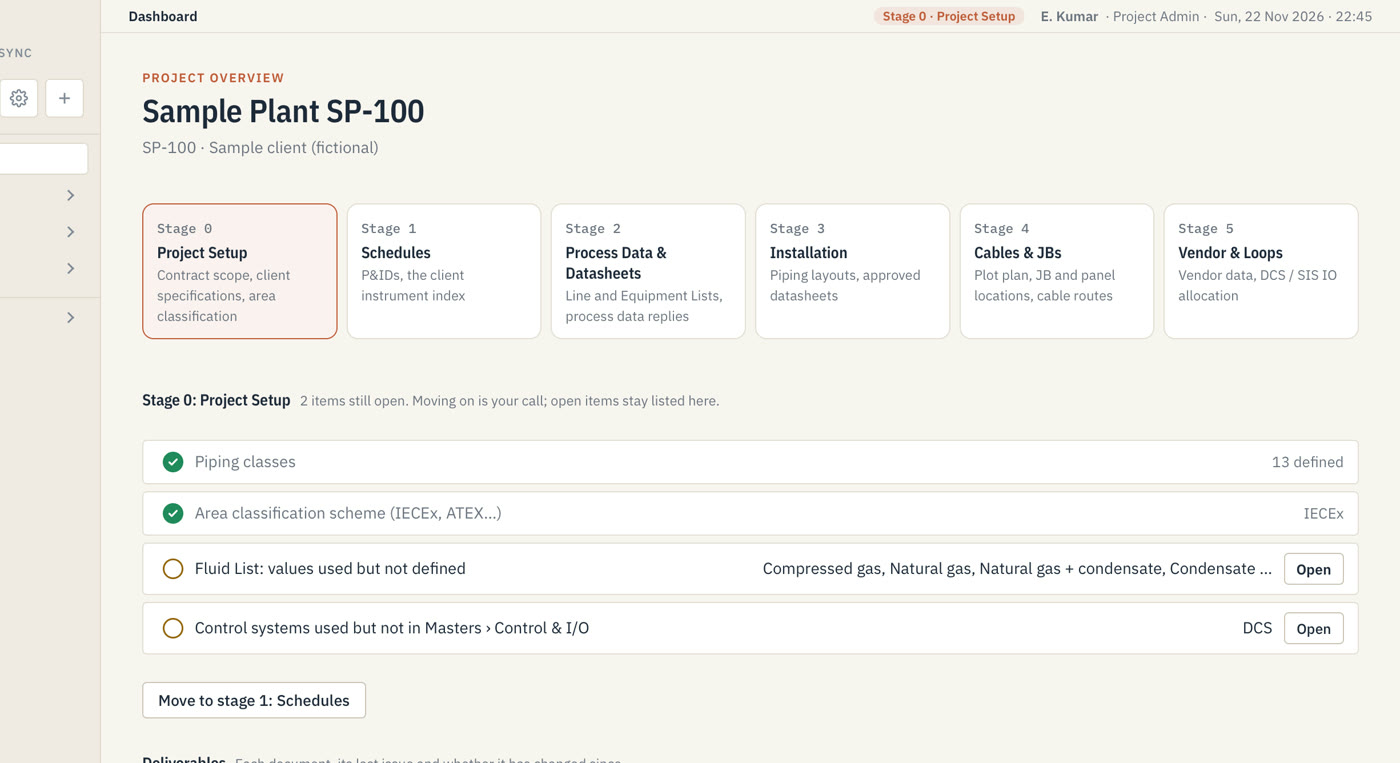
The project's selections, once.
Process data reaches every tag from its line or vessel.
Each with its cover, revision and sign-off.
Real screens from INSTloop 3.0, on the fictional sample plant SP-100.
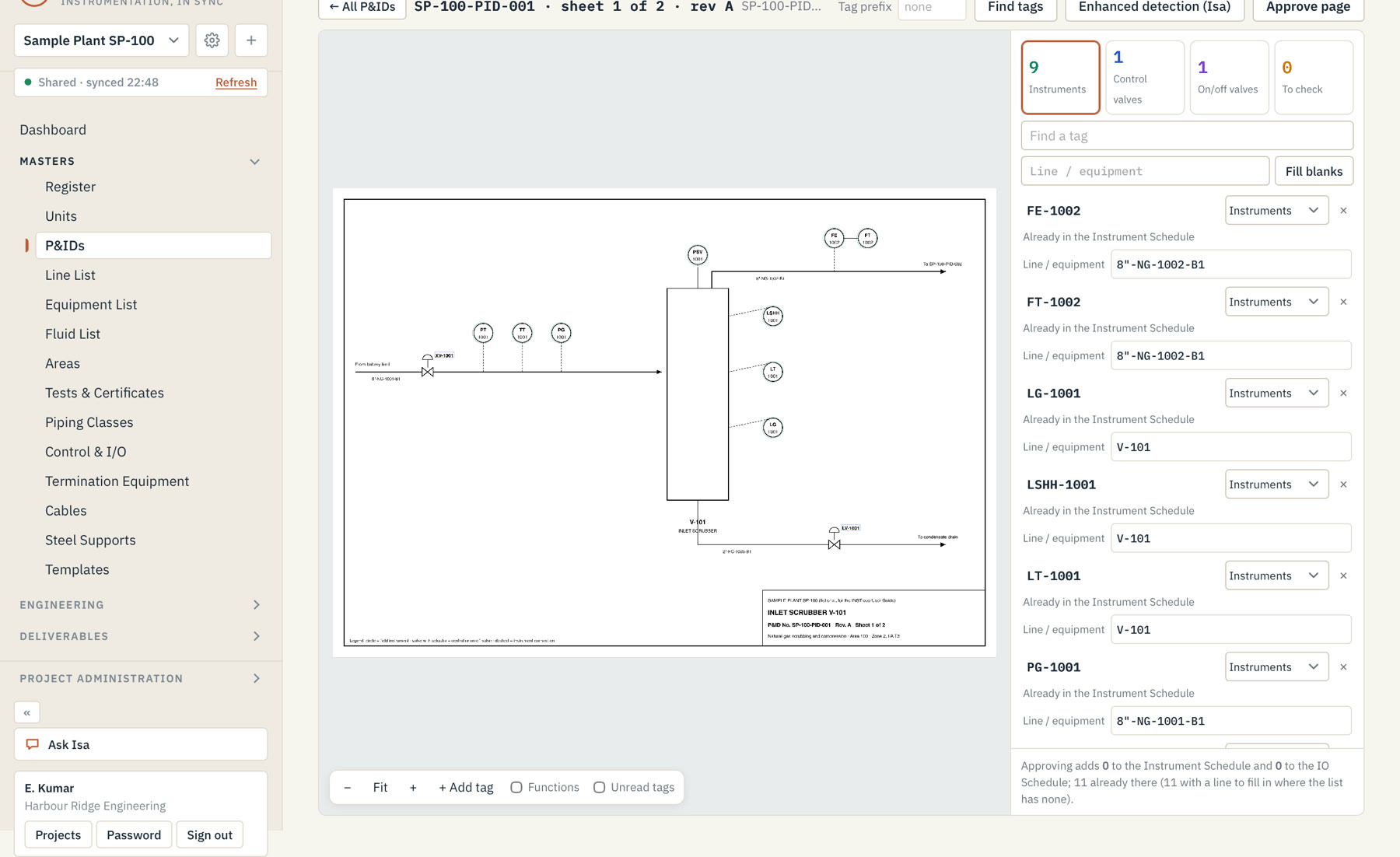
INSTloop reads each sheet on your computer and lists the instruments, control valves and on/off valves it finds. You check them, set the line or equipment, and approve page by page. Approved tags go to the Instrument Schedule; on/off valves go to the IO Schedule.
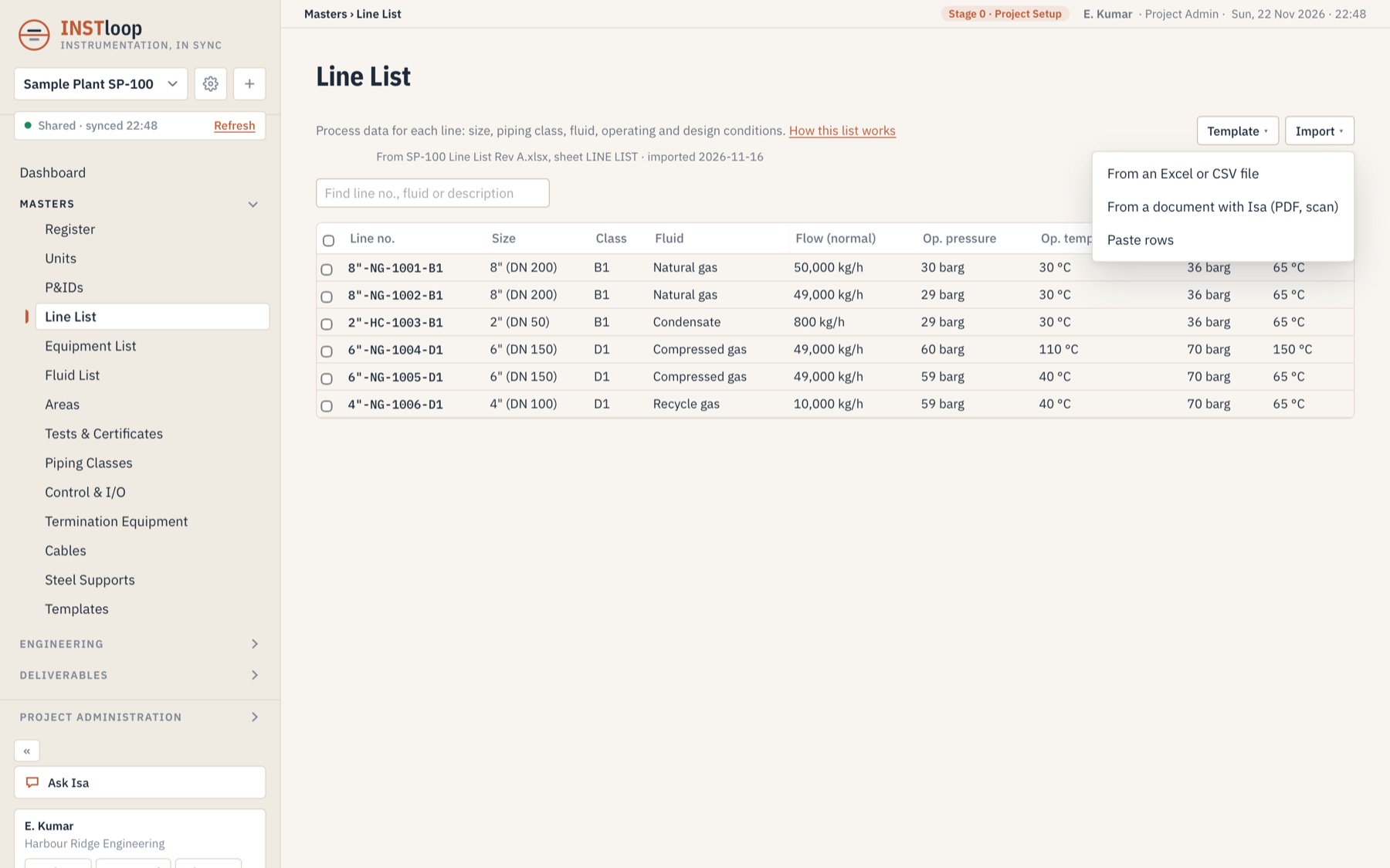
Line List, Equipment List and the other list-type Masters import from a filled template, or from any PDF or scan with Isa. Isa maps the file to INSTloop's columns; the preview marks each row New, Filled in, Changed or Same, and nothing is saved until you tick and approve.
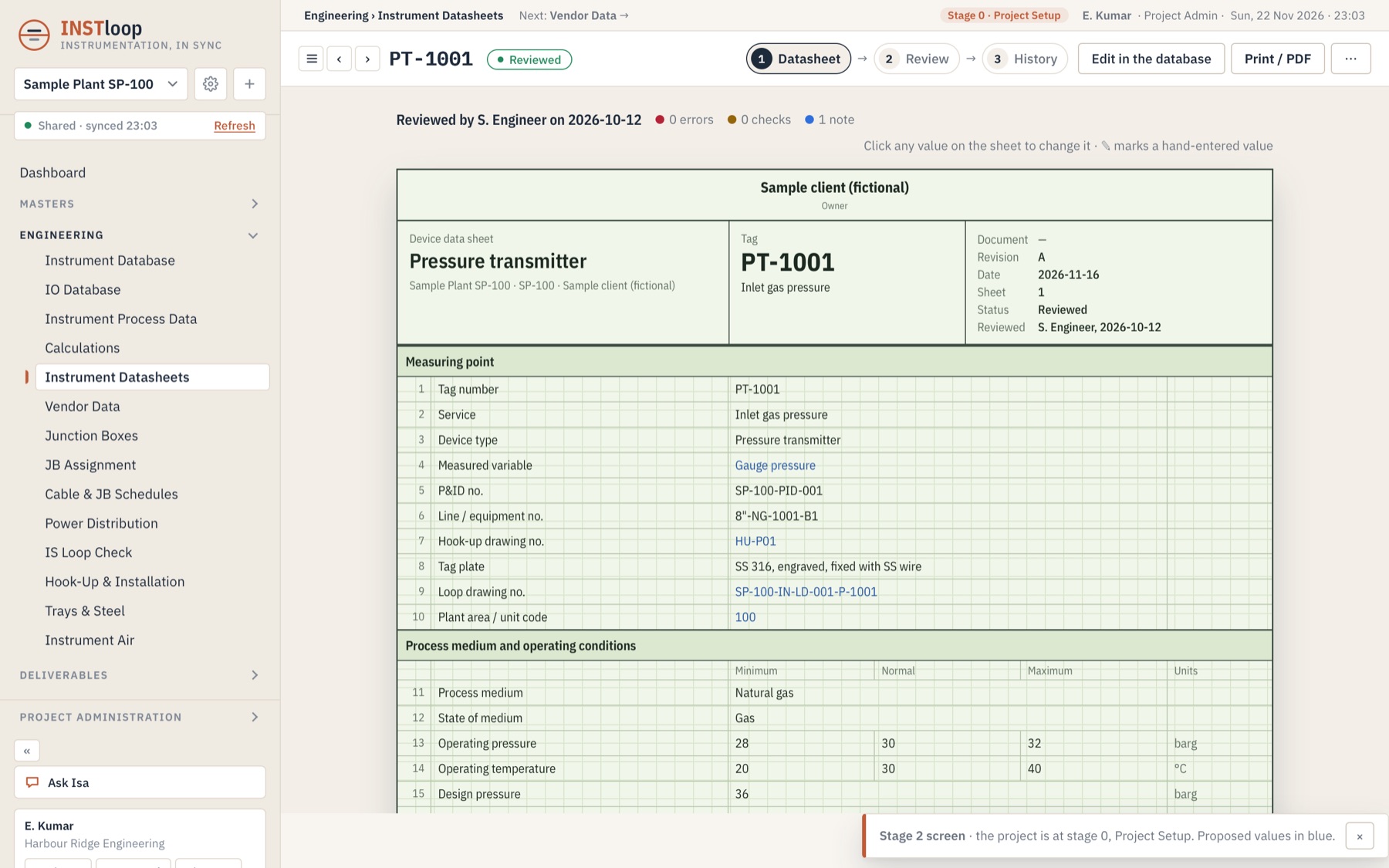
Process data comes from the line or vessel; values INSTloop calculates or proposes are shown in blue until confirmed. Issue in the IEC 61987 layout or fill your client's own form. Review and sign-off before issue.
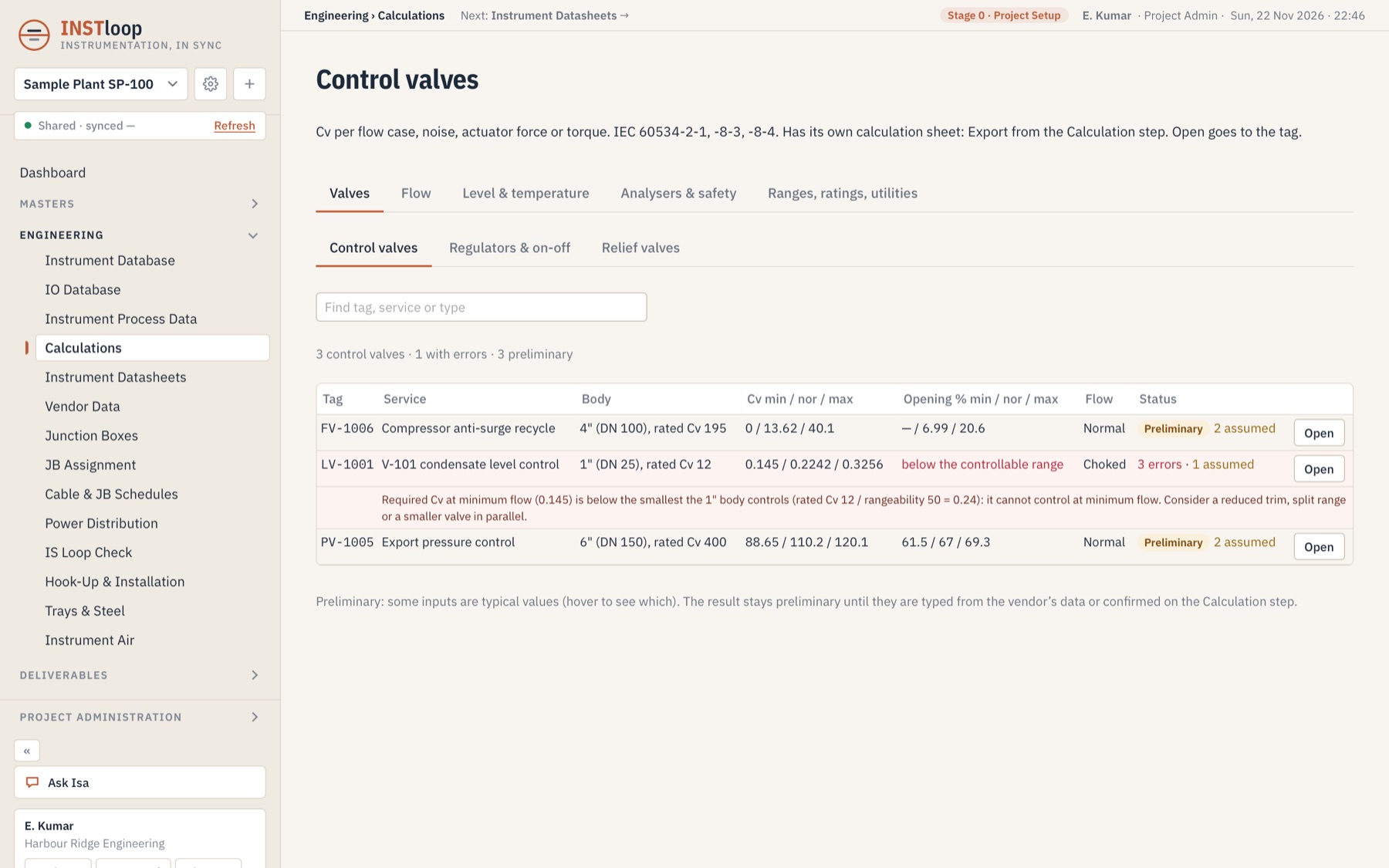
Cv per flow case, noise, actuator force, DP flow elements, relief valves and thermowells, each with its own calculation sheet naming the method and its inputs. A failing case says why and what to consider.
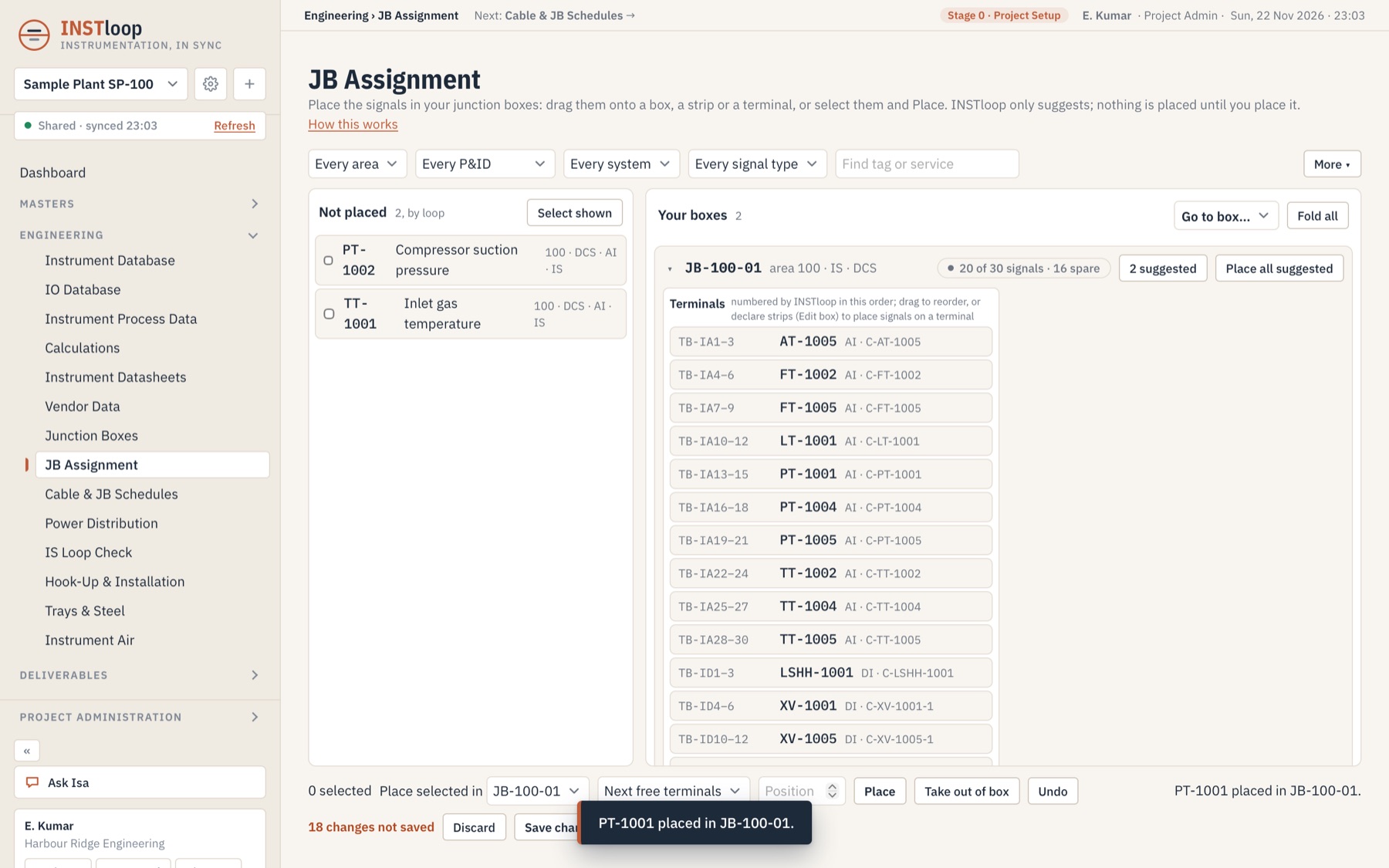
Declare your junction boxes, then drag signals onto a box, a strip or a terminal, or select them and Place. INSTloop only suggests; nothing is placed until you place it. Boxes are IS or non-IS, and spares are counted as you place. Changes stay a draft until you save them with a reason, and Revert last save undoes a save.
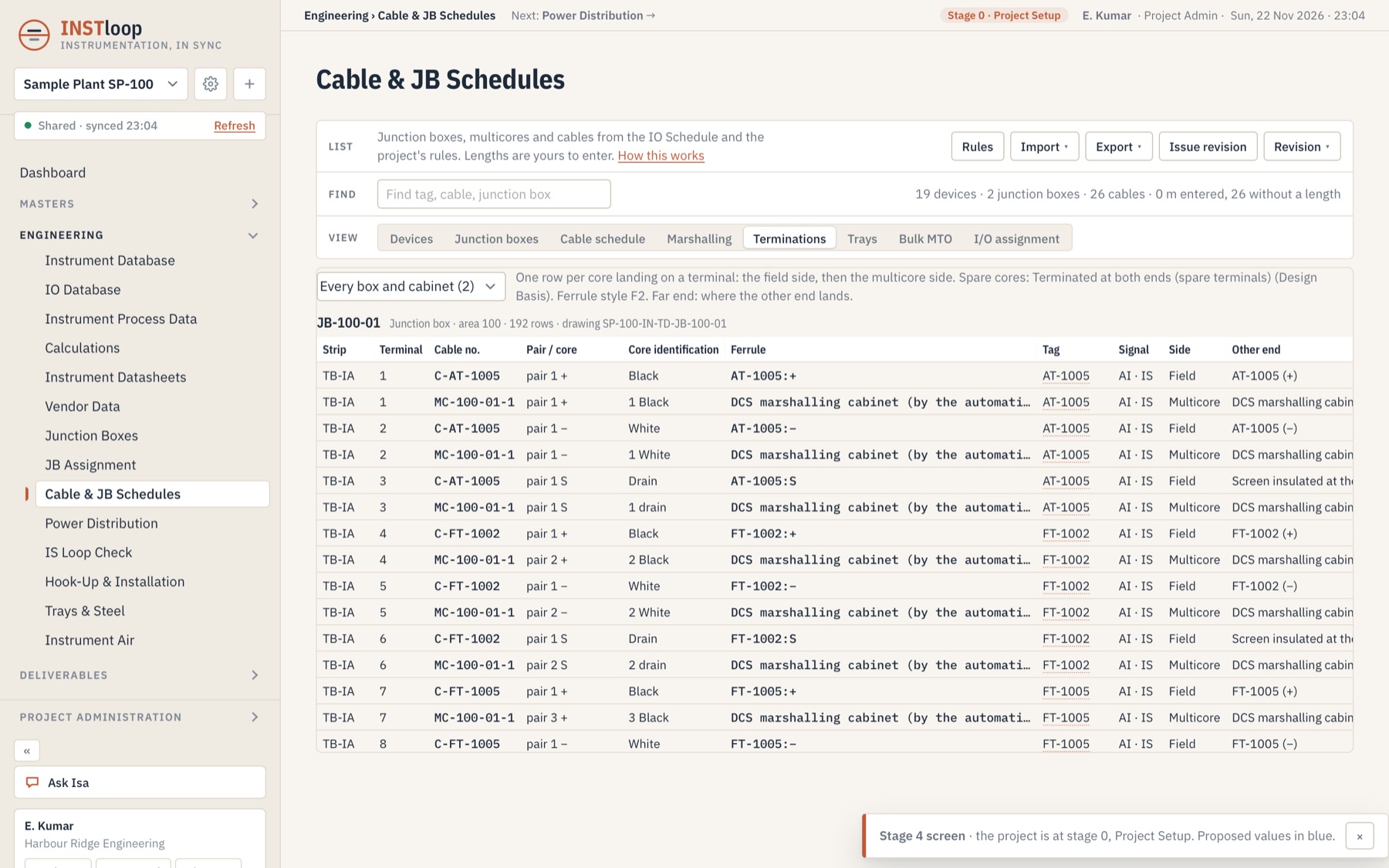
Every core on every terminal, per junction box and cabinet, with ferrules and the other end. Termination drawings, cable block diagrams and loop drawings are documents of their own, with their own numbers and covers, exported as PDF and as DXF for CAD.
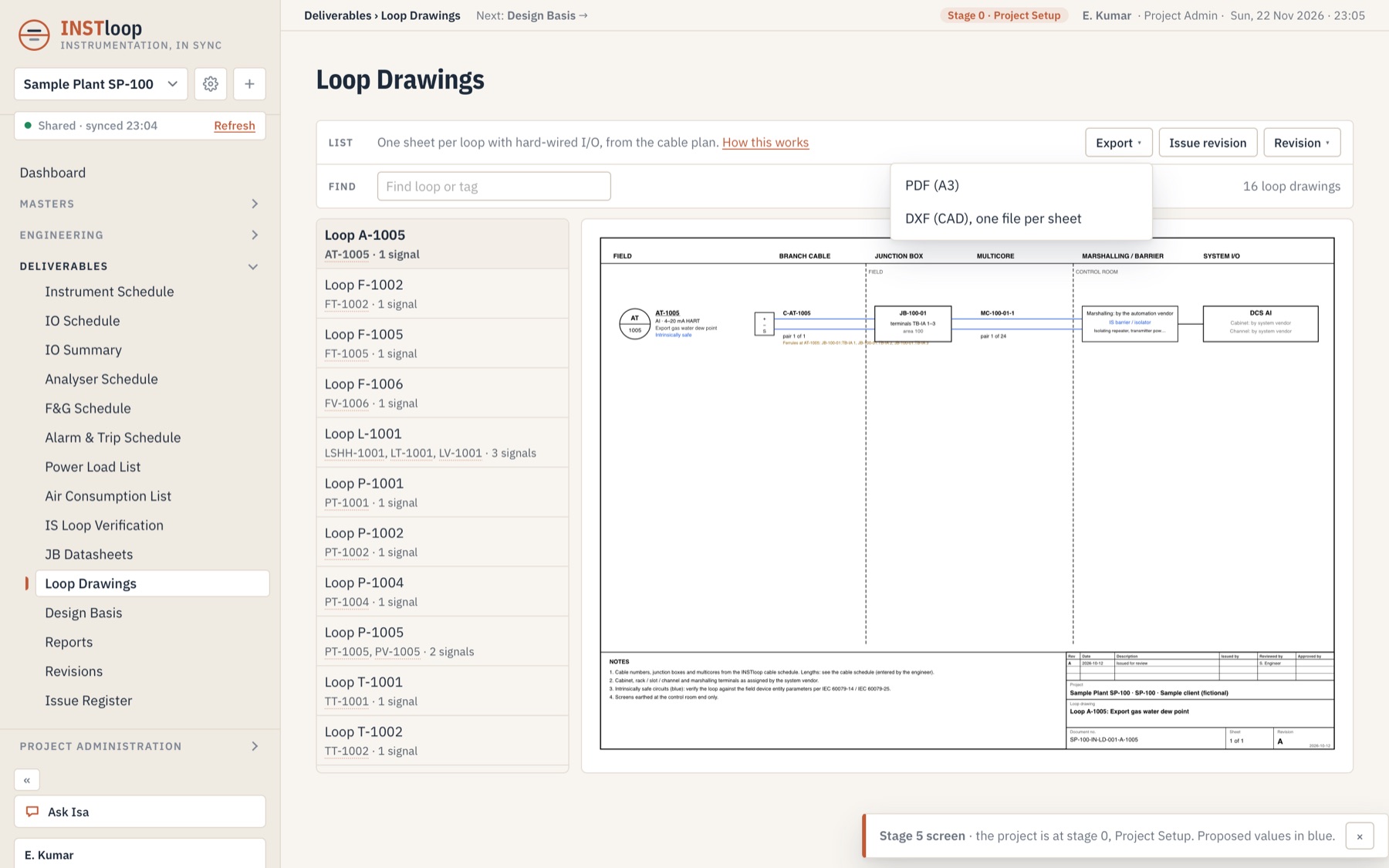
A loop drawing for each wired loop, from the device through the junction box and multicore to the system I/O, with ferrules and terminals from JB Assignment. Export the set as A3 PDF, or as DXF for CAD, one file per sheet. Termination drawings, cable block diagrams and hook-up drawings export the same way.
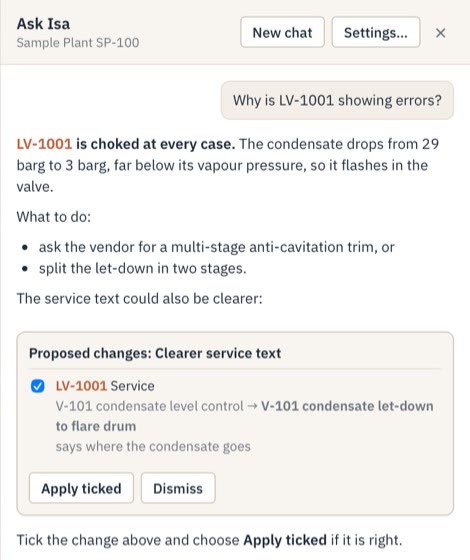
Isa doesn't just answer. It works the app with you. Ask in plain words: why a datasheet shows errors, to set the hazardous area on a group of tags, or to prepare an export. Isa reads your datasheets, checks and lists, opens the right screen, prepares the change and waits for you.

When the process changes, every document it affects is marked. Issue a new revision from the document's own page; the register keeps the whole history.

Each is reviewed, signed off and issued with its cover and revision, as PDF and Excel, DXF for drawings, or your client's own forms.
Every instrument, valve and analyser, IEC 61987 or your client's form.
Every tag with its process data, from the P&IDs.
Signals, power, destination, node, rack, slot and channel.
I/O counts per system, with spares.
Set points in the set-point unit, with the action on trip.
Analysers, sample systems and utilities.
Gas and flame detectors with alarm levels.
A3 hook-up drawings and bulk material take-off.
Boxes, branch cables and multicores, with est. lengths.
One per junction box, from the cable plan and rules.
Every core on every terminal, per box and cabinet.
Per system and per box.
Device to system I/O, with ferrules; MCC loops too.
Boards and circuits, from Power Distribution.
Instrument air per consumer and in total.
Entity parameters with cable C and L per metre.
Compiled from the project's Masters.
Every issue and transmittal, newest first.
INSTloop flags what needs a second look. It proposes; it never silently changes. Fluid properties stay the process engineer's.
Put the company folder on your network drive. It holds the users, the project register and the company library; each person sees only the projects assigned to them.

The standard behind each result is named on the calculation sheet, with the inputs it used.
Cv, opening, choked flow and cavitation.
Aerodynamic and hydrodynamic noise.
Orifice plates, venturis and nozzles.
Relieving area and standard orifice.
Wake frequency, resonance and stress.
Layout and property naming.
Ex marking, gas group, temperature class.
Sizes, ranges and accuracy classes.
Leakage tests and fire-tested design.
Instrumentation engineers in engineering companies, contractors and owner teams who prepare the instrument deliverables for process plants.
Isa, an AI agent, is built into the app: it reads documents into your lists, answers questions about the project and prepares changes and exports. Every change waits for your approval and is logged. Isa never fills process data, and it is off until the project lead turns it on with your own Anthropic API key.
No. INSTloop runs on Mac and Windows and works offline. Only Isa features need a connection, when you use them.
Yes. Datasheets can be filled into your client's own Excel forms, and you can upload the client's cover and place INSTloop's fields on it.
Yes. A company folder on your network drive holds the users and projects; everyone signs in, has a role per project, and every change is in the audit log.
No. INSTloop is a design aid. It flags what needs a second look and proposes fixes, but every document is reviewed and signed off by a responsible engineer before it is issued.
Per project. A licence key covers one project, up to the tags and I/O points it states, for the period it states. A trial is a project key with an end date.
Write to product@instloop.com for a trial key and a price. We'll send the installer for Mac or Windows.
Write to us for a trial key and a price. Tell us a little about your work and we'll send the installer for Mac or Windows.
Request a trialproduct@instloop.com